Order in seconds.
Customize without limits.
Led UX on Taco Bell's first iOS ordering app. A category-defining product shipped by a three-person creative team inside DigitasLBi.
Tight-knit team. Tactile prototyping. The Agile sprint cycle ran ahead of itself by design: UX ahead of art direction, art direction ahead of development. Velocity earned through clarity and trust.
The work shipped, scaled, and compounded. A patent, a Webby, 300K downloads in 48 hours, and the working pattern I've carried into every team since.
In sales in the first week.
Increase in average customer spend.
Winner, Food & Beverage.
Named inventor on the Quick Reorder feature.
"Design-wise, the software is a far cry from other food ordering apps like GrubHub or Chipotle; Taco Bell's app is what would happen if an Instagram filter fell in love with Seamless and had a baby."
— Chris Gayomali, Fast Company"New Taco Bell app is a lesson in both marketing and product design. They nailed the order / pay workflow AND blacked out their twitter."
"This statement is gonna sound like I'm making a joke but I'm for serious: the UX of the Taco Bell app is wonderful."
"Whoever created the method of ordering off your mobile app from Taco Bell is GENIUS."
"the Taco Bell mobile ordering app is the greatest thing ever invented."
"Pretty sure the 'app' in the Taco Bell app stands for Absolutely Positively Perfect."
"the Taco Bell app just blew my mind"
"im so in love with the Taco Bell app, i been messing around with it for like 20 minutes"
"Soooo...the new Taco Bell app is really cool. Makes ordering vegetarian versions of almost anything a breeze. (Swipe right on the meats)"
"The Taco Bell app is better than the food they serve."
"I don't even know why Taco Bell has a take out app but I find it pretty fucking amazing"
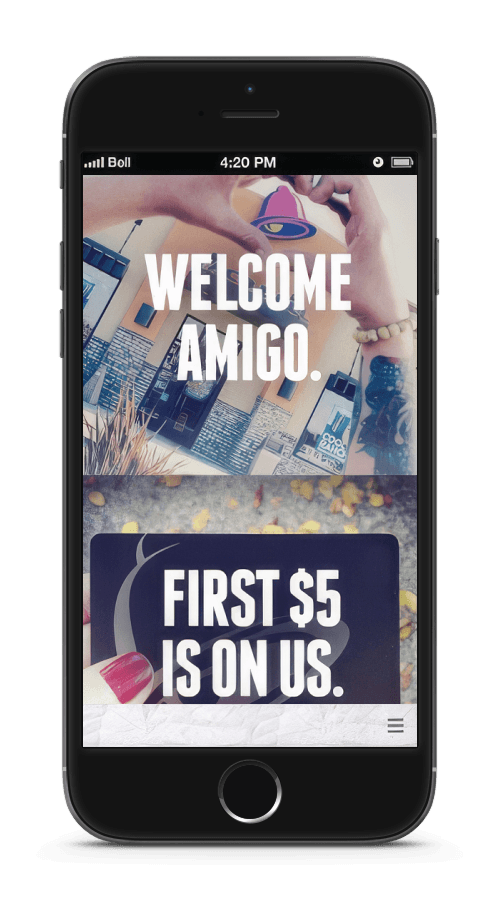
Taco Bell's first mobile order app.
Taco Bell came to Digitas wanting the best-in-class mobile ordering app in their category. We won the pitch. The delivery team was a focused trio: an Art Director, a Copywriter, and myself as the UX Designer. A third-party development team would build it.
The objectives were specific. A streamlined ordering flow. Full customization. A return path for repeat customers that felt faster than the line at the counter. Underneath those, a quieter requirement: the app had to feel like Taco Bell. Loud, irreverent, a little ridiculous. The interface couldn't sand any of that down.
This was 2012. There was no playbook for what a fast-food ordering app should be. Most quick-service brands didn't have one yet. We were defining the category as we built it.
Collaborative. Agile. Iterative.
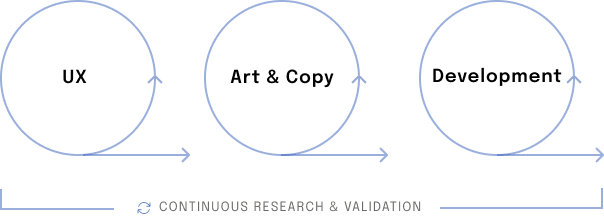
Officially, the project team was three: art direction, copy, and me. Unofficially, we worked inside a group of five designers led by one VP, sharing a studio and a daily rhythm of pulling each other into the work. Independent projects, shared atmosphere. When I think about what "good team" feels like now, this is the room I'm comparing it to.
The Agile cadence demanded clear choreography: I ran sprints ahead of the Art Director with wireframes and flows, the Art Director ran sprints ahead of the third-party developers with visual comps, and documentation followed close behind. Nobody waited, nobody was blocked. Short, frequent iteration cycles, with studio crits and client input between sprints, meant course corrections happened early when they were cheap, and trust held the choreography together.
A sprawling menu that doesn't feel like one.
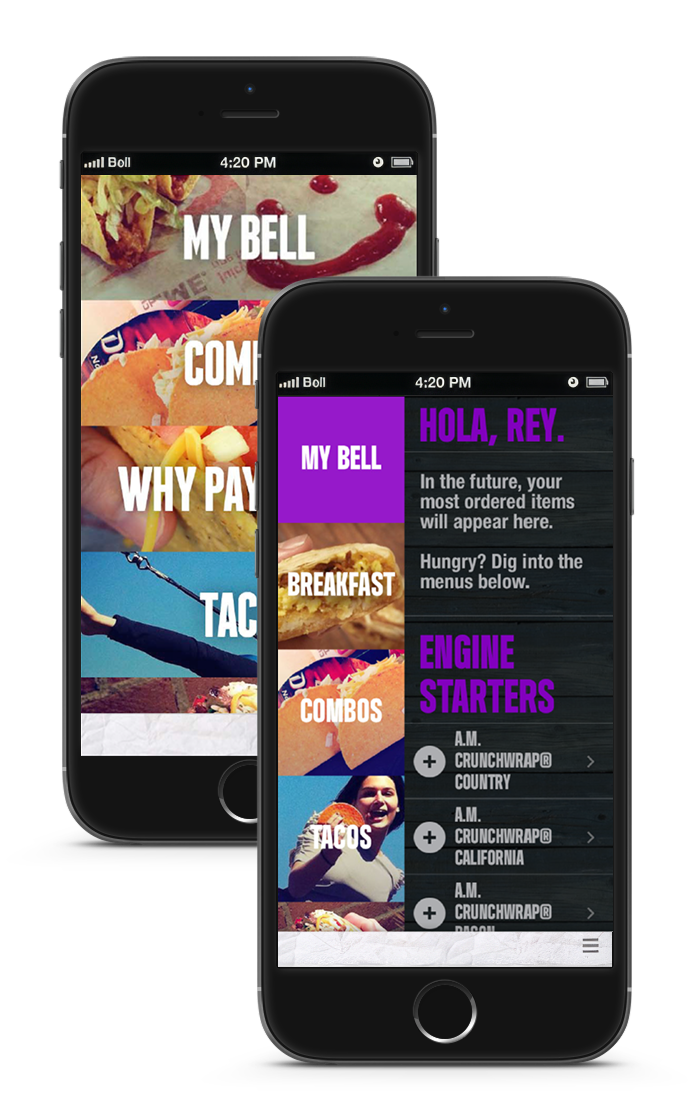
The menu was the heart of the product. A Taco Bell order is rarely a single item: it's a combo, a customization, a swap, an add-on, and a side, often built faster than a cashier can ring it up. The interface had to keep up.
By default the menu categories were full width, letting the user browse and be immersed in the Taco Bell vibe at a glance. On tap of a menu category, the screen split vertically: a condensed list of menu categories on the left and the item list on the right. Both panes scrolled independently. Tap a category, the item list jumped. Scroll past the last item, the list rolled into the next and the category selection updated to match. Swipe right, full-width categories returned.
That construct took dozens of sketches, wireframes, and a lot of on-screen prototyping to find. Ad-hoc tests in the hallway caught the rough edges early. Lab usability testing validated the construct at higher fidelity and the app scored well, with only minor changes coming out of formal testing.
Apply the principles, then prototype until the tactile feel proves them out.
Playing with the medium.
We could have designed a "Reorder" button. Tap, confirm, done. It would have been fine. The conventional flow was sitting right there, waiting to be implemented.
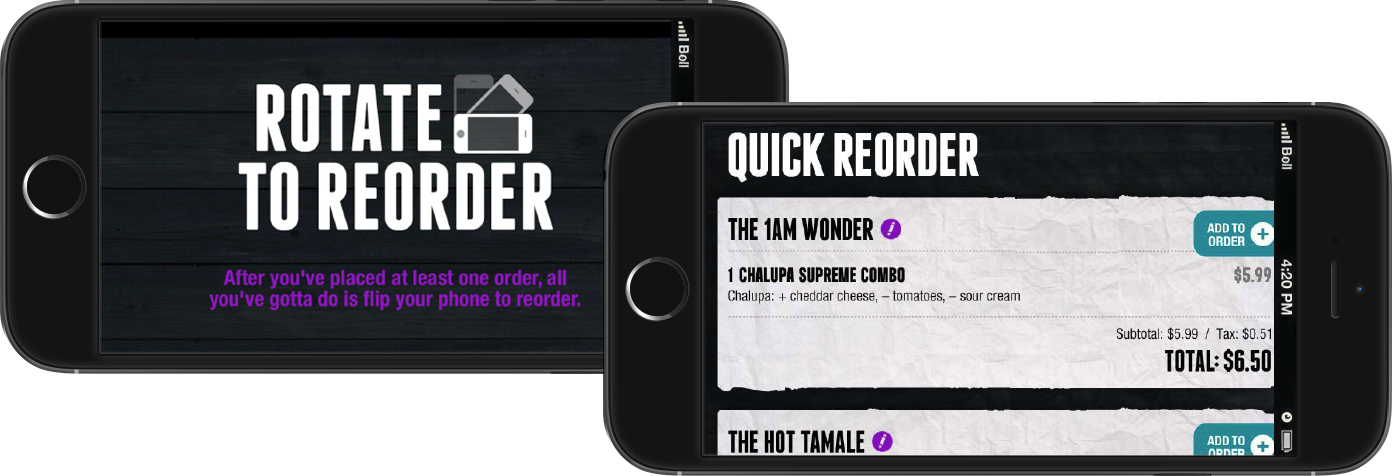
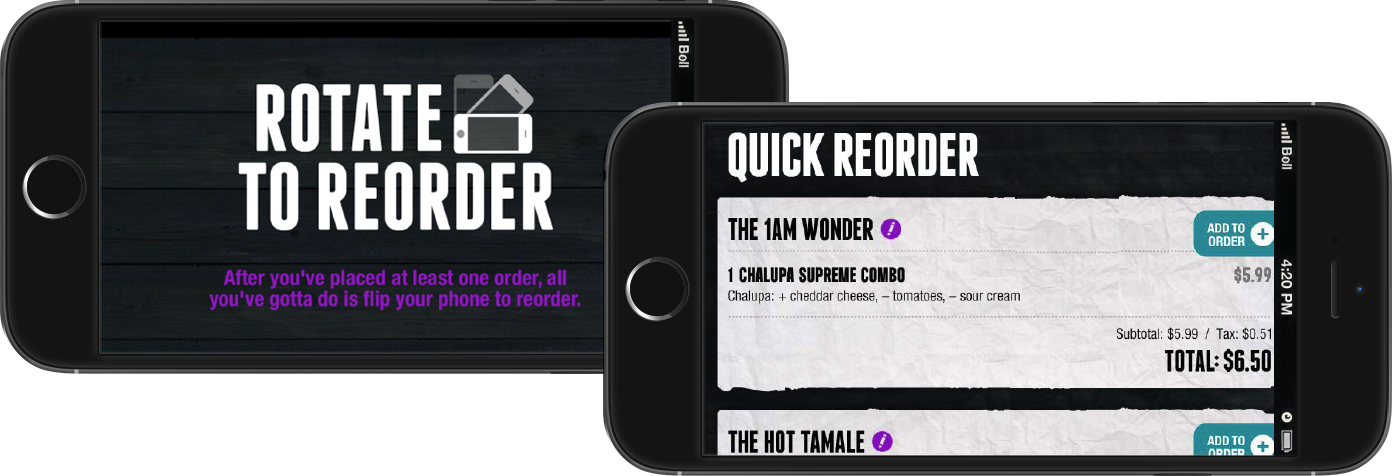
Instead, the team played. What if the gesture of flipping your phone sideways was the reorder?
That became Rotate to Reorder. Tilt the phone into landscape and the app shifted into a fast-access view of saved orders, named the way the user named them — The 1AM Wonder, The Hot Tamale, Late Night Savior. One tap to add a saved order to the cart. The interaction was playful, fast, and unmistakably Taco Bell.
I'm a named inventor on the patent for the feature.
The conventional flow is rarely the most interesting one. The medium itself — the hardware, the gesture vocabulary, the constraint of a small screen — has more to give than a checklist of features will surface. Playing with the medium is how you find the design that becomes the thing people remember.
Usability testing at every step.
Three tiers of testing ran in parallel with the design work — each one calibrated to the fidelity of what was ready to show and what question needed answering.
Ad-hoc tests around the office
Recruiting whoever was free the moment a wireframe was solid enough to point at. Cheap, fast, embarrassing when something obvious failed — which was exactly the point. These sessions caught rough edges early, when changes were still inexpensive.
Remote unmoderated tests via verifyapp.com
Once the screens were further along. Wider sample, asynchronous, useful for the questions that needed a number behind them. The distance from moderation surfaced behaviors that in-person presence can sometimes suppress.
Lab usability testing in the final stages
Run by an outside firm in a real testing facility with one-way glass and a moderator. The app scored well. The few changes that came out of it were minor — because the rough edges had already been found in the hallway.
Test at the resolution you can afford, when you can afford it. Don't wait for the formal study to find the obvious problem. That principle has saved more projects than the formal studies have.
Order in seconds. Customize everything.
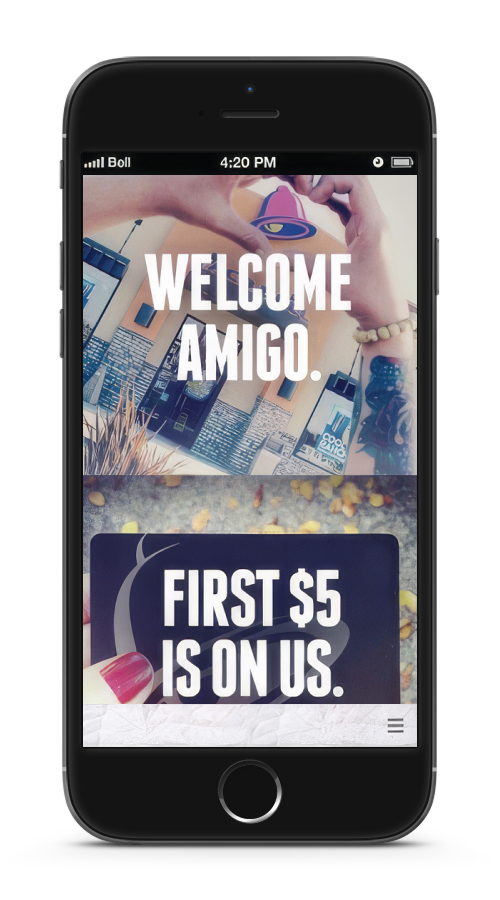
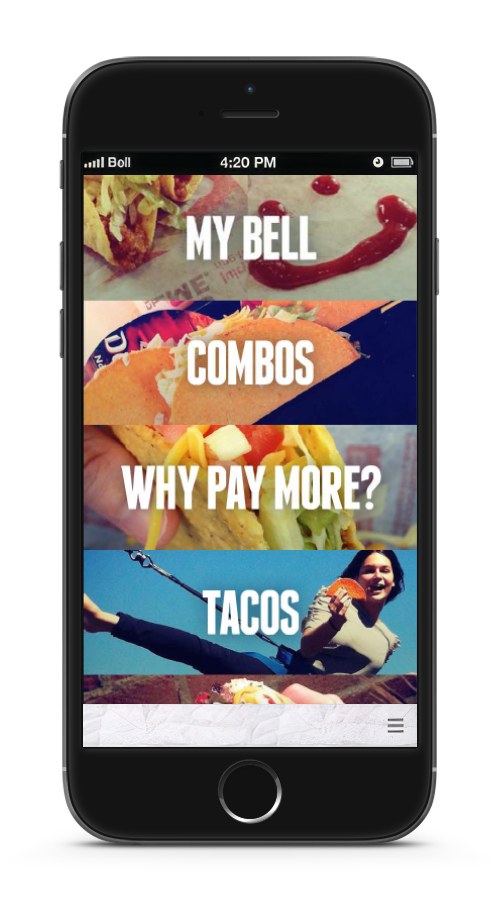
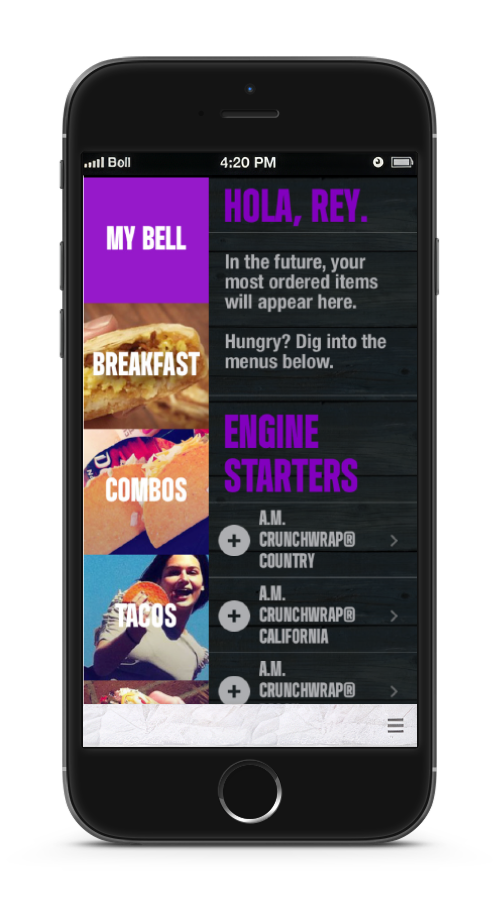
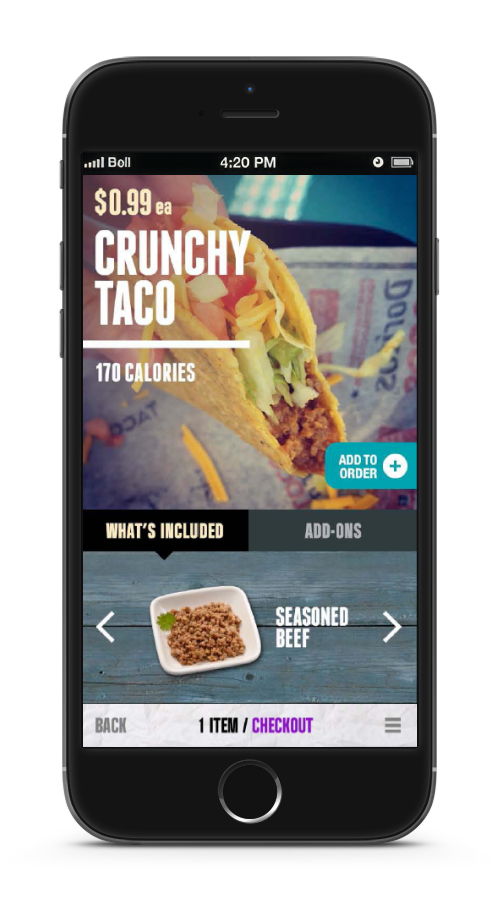
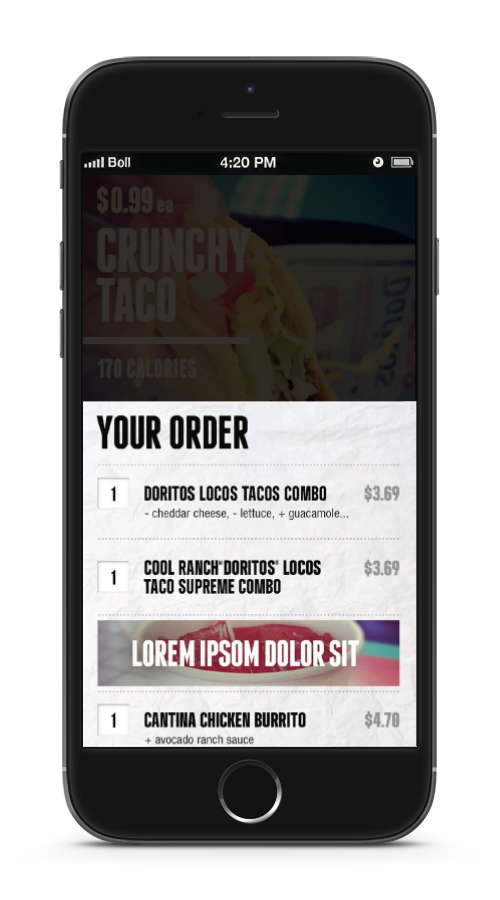
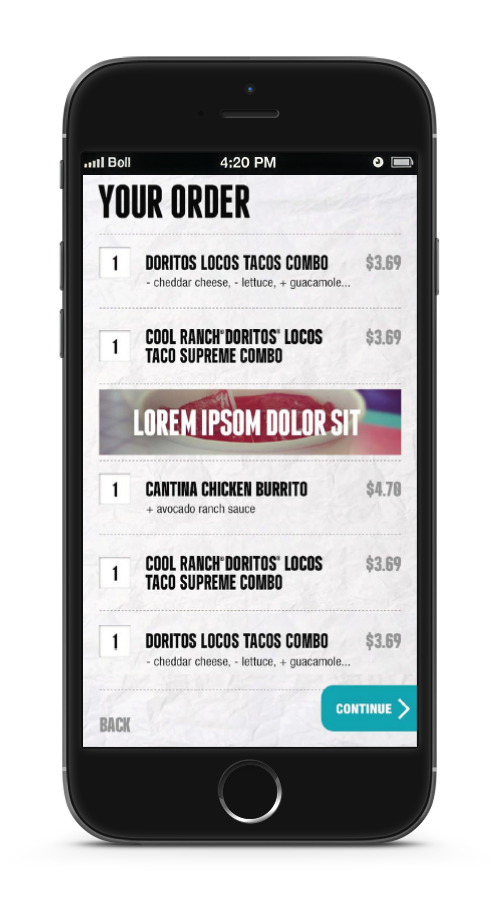
Independent ownership inside a shared atmosphere. The conditions that produced this work are the ones I now build for teams I lead.
The hardware, the gesture vocabulary, the constraint — all of it has more to give than a feature checklist will surface. That's where the memorable design lives.
Not a perk of the work. The pattern underneath this project is the one I've been building toward at every team since: small, trusted, in it together.
I've spent years learning the fundamentals and building the communities that bring them to life. If you're building a team that wants both, let's talk.
Get in touch →